
Cadillac Digital Key in Your Phone Wallet: What Auburn Owners Need to Know
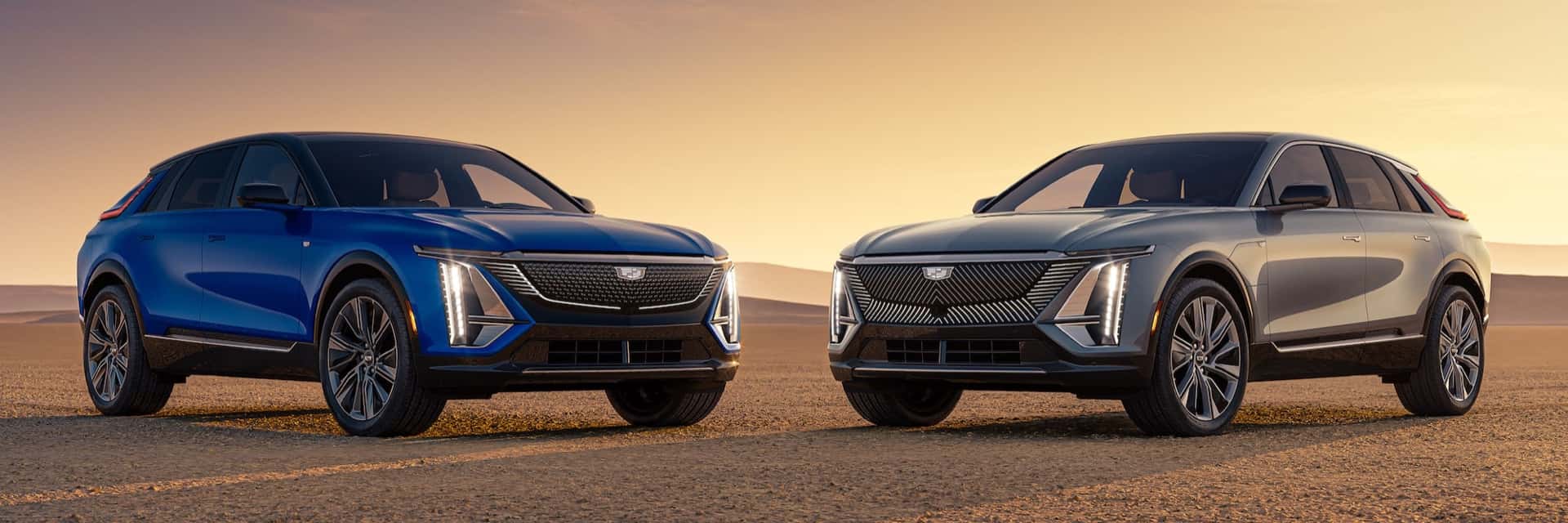
Cadillac digital key is arriving, and it turns your phone into the key to your Cadillac EV. GM announced in September that it is rolling out digital keys for select Cadillac EVs, with more GM models to follow. For drivers in Auburn, that could mean fewer trips back inside for a forgotten fob and an easy way to give a family member access to your vehicle. This guide explains what GM announced, which models come first, how setup works and what you can do now.
What the Cadillac Digital Key Does
GM’s digital key lets you unlock and drive your vehicle by adding a version of the physical key to your digital wallet. It works with a compatible iPhone, Apple Watch, Google Pixel or Samsung Galaxy device. Your phone or watch becomes the key, and the key sits in the same secure wallet app that holds your payment cards.
GM groups the benefits into three everyday conveniences. Each one solves a small annoyance that many drivers know well.
- Sharing is easy. You can send access to family members without handing over a fob.
- Walk up and drive. The vehicle unlocks as you approach and locks when you walk away.
- A cabin already set to your comfort zone. You can open the trunk and adjust the climate controls from your wallet before you step inside.
GM also says the digital key experience will keep growing beyond unlocking and starting a vehicle. The company describes its ultra-wideband technology as groundwork for features such as automatically adjusting vehicle settings as drivers approach. GM does not give dates for those later features, so treat them as a direction, not a promise.
Digital key and a traditional fob side by side
A digital key does not change what a key is for. It changes where the key lives and how you pass it around. This comparison shows how the day-to-day experience differs.
| Everyday situation | Traditional fob | Digital key in your wallet |
|---|---|---|
| Walking up to the vehicle | You carry the fob in a pocket or bag | You carry your phone or watch, and GM says the vehicle unlocks as you approach |
| Giving a family member access | You hand over the fob | You send access to another device |
| Losing the key | You arrange a replacement fob | You call OnStar, which can deactivate a digital key |
| Setting up | The fob comes with the vehicle | You add the key through the app and your wallet |
Which Cadillac Models Get Digital Key First
GM is bringing digital key to its vehicles in phases. The first phase covers eligible Cadillac EVs: the LYRIQ, the OPTIQ and the VISTIQ. GM’s list starts with the 2025 model year for the LYRIQ, the 2026 model year for the OPTIQ and the 2027 model year for the VISTIQ. GM described that first phase as running from September through mid-October.
| Cadillac model | Timing in GM’s announcement |
|---|---|
| LYRIQ | First phase, September through mid-October |
| OPTIQ | First phase, September through mid-October |
| VISTIQ | First phase, September through mid-October |
| Escalade | Expanding in December |
| Escalade IQ and IQL | Expanding in December |
| CELESTIQ | Expanding in December |
A second phase follows in December. GM says availability will expand to more vehicles then, including the Escalade, the Escalade IQ and IQL, and the CELESTIQ. The same December list also names some Chevrolet and GMC SUVs, which shows how broad the rollout is. GM adds that it will continue across additional GM vehicles over time.
What about gas models like the XT5?
GM’s announcement does not name gas models such as the XT5, XT6, CT4 or CT5. That does not tell you what is planned for them, only that they are not on the published list. If you drive one of those models, ask our team to check the latest information for your exact model and model year. You can also look over the new Cadillac lineup in Auburn to see which current models are electric.
How you will know it is ready
GM says owners will see a notification in the “What’s New” section of their vehicle mobile app when digital key becomes available. If you own an eligible model and have not seen that notice yet, open your app and look there first. Then reach out to us with your model and model year, and we will help you sort out what to try next.
A Day With Digital Key in East Alabama
Features like this matter most in small moments. Here is how GM’s description plays out around Auburn and the surrounding area.
Hands full at the grocery store
GM says your vehicle automatically unlocks as you approach and locks when you walk away, even when you are wrestling groceries or loading up the kids. You do not need to dig a phone out of your pocket. The key in your wallet does the work while your hands stay busy.
A hot afternoon in a parking lot
Summers here are long, and a closed car gets warm fast. GM says you can adjust the climate controls right from your digital wallet, before you even step inside the vehicle. Pair that with the walk-up unlock, and the cabin can be ready when you are.
A busy fall Saturday
When the town fills up with visitors, parking lots get tight and walks get long. A key that locks behind you as you walk away is one less thing to think about. It also helps when someone else in the family is picking up the vehicle, because you can share access with them instead of meeting up to swap a fob.
Commuting in from nearby towns
Many drivers head into Auburn from Opelika, Phenix City or Smiths Station for work, school and errands. A shared key can make a family’s schedule easier when two drivers trade one vehicle. Think of the spouse who drops the other at work, or a student who borrows the vehicle for an afternoon.
How to Add Your Digital Key Step by Step
GM says getting started is easy. The process begins in your vehicle’s mobile app and finishes in your phone’s wallet. Here is the sequence as GM describes it:
- Download and sign in to your vehicle’s mobile app.
- Sit in your OnStar-connected GM vehicle with the physical key fob nearby.
- Follow the prompts in the app to add a digital key to the digital wallet you prefer, such as Apple Wallet, Google Wallet or Samsung Wallet.
- After pairing, let Bluetooth and ultra-wideband technology handle everyday access.
A few habits make the process smoother. Do the setup while parked at home, with your phone charged and your app updated. Keep your phone’s software current, since wallet features can depend on it. Keep the fob within reach until pairing is finished, because GM names it as part of the setup.
If the app does not show an option to add a digital key, the feature may not have reached your vehicle yet. Check the What’s New section, then contact us. We can confirm whether your model is on GM’s list and what to try.
Which phones and watches work
Digital key works with compatible ultra-wideband devices. GM’s page names Apple iPhone and Apple Watch models, a list of Google Pixel Pro models and the Pixel Fold, and Samsung Galaxy phones and foldables. The exact cutoffs are specific, so do not assume that any phone will do.
Before you plan around digital key, check your device on the lists maintained by Apple, Google and Samsung. GM points to those support pages for the latest information on supported devices and compatibility requirements. If you plan to buy a new phone soon, check it against the list first.
Sharing Your Cadillac Digital Key With Family
Sharing is one of the strongest reasons to try digital key. GM says you can securely share your key with up to 7 additional devices through AirDrop, Messages, WhatsApp and more. That means a quick message can give a family member access, even if they are across town.
Who might you share with
- A spouse or partner who also drives the vehicle.
- A college student home for the weekend.
- A parent who needs the vehicle for a day.
- A trusted friend who is helping with a move or an airport run.
Staying in control
Sharing does not mean giving up control. GM says that if you are the account owner, you can remove digital key access at any time through your vehicle or your digital wallet. Before you share, talk through simple ground rules, such as who drives and when. Then remove access when the need has passed.
Security and What to Do if Your Phone Is Lost
Security is the first question many people ask about a phone as a key. GM’s answer has a few parts.
- The key relies on ultra-wideband technology for secure, encrypted, proximity-based authentication, plus Bluetooth for connected controls.
- The key is stored in Apple Wallet, Google Wallet or Samsung Wallet, the same way your device stores payment cards and other sensitive credentials.
- GM built the feature on the Car Connectivity Consortium standard, an automotive and technology-industry framework meant to help vehicles and devices work together reliably and safely.
If your phone is lost or stolen
GM says to call OnStar if your device is lost or stolen. OnStar will be able to deactivate a digital key immediately. If you are the account owner, you can also remove access through your vehicle or your digital wallet. Save the OnStar number in your contacts now so you are not hunting for it later.
Good habits for any phone key
Use a screen lock on your phone and keep your software current. Keep your physical key in a safe place at home as a backup. Ask our team how your specific model behaves when a phone battery runs low, so you know what to expect before you rely on the feature every day.
Try Digital Key With Help From Allen Turner Cadillac
If you drive an eligible Cadillac EV, bring your phone and your questions to Allen Turner Cadillac in Auburn. Our team can point you to the right app and the right steps for your model, and the service department can help with questions about your vehicle’s connected features. If you are shopping, ask which current models are on GM’s digital key list before you decide.
Thinking about a used Cadillac instead? Ask whether digital key applies to the exact model year you are considering, because GM’s list is built around specific models and years. You can browse used vehicles in Auburn and bring your questions with you.
Keeping Your Cadillac Connected Over Time
Digital key is one part of a larger shift toward connected features that arrive through apps and updates. GM says it is laying groundwork for more integrated experiences, and your phone is becoming a bigger part of how you use your vehicle. A few habits help you stay ready.
- Keep your vehicle’s mobile app installed, signed in and updated.
- Check the What’s New section when you open the app.
- Keep your phone’s operating system current.
- Tell us when you buy a new phone, so you can plan how to move your key.
Questions to settle before you rely on it
- Is my model and model year on GM’s digital key list?
- Is my phone or watch on the supported list from Apple, Google or Samsung?
- Do I have the vehicle app installed and signed in on my phone?
- Who in my family should get a shared key, and who should not?
- Where is my physical key if I need a backup?
Answering these ahead of time saves frustration later. If any answer is unclear, we are glad to look into it with you.
Want to know more about the team behind the service? Read about Allen Turner Cadillac and what we do for Auburn drivers.
Frequently Asked Questions
Which Cadillac models can use a digital key?
GM says the first phase covers eligible Cadillac EVs, including the LYRIQ, OPTIQ and VISTIQ. In December, GM says availability will expand to more vehicles, including the Escalade, Escalade IQ and IQL, and CELESTIQ. Ask our team to check your exact model and model year.
Do I still need my physical key fob?
You need the fob nearby during setup, because GM’s steps ask you to add the digital key while the fob is close. After that, everyday access runs through your wallet. Keep the fob in a safe place as a backup.
How many people can I share a digital key with?
GM says you can securely share your key with up to 7 additional devices. You can send access through AirDrop, Messages, WhatsApp and more. If you are the account owner, you can remove access at any time.
What should I do if my phone is lost or stolen?
Call OnStar. GM says OnStar will be able to deactivate a digital key immediately. If you are the account owner, you can also remove access through your vehicle or your digital wallet.
Does digital key work on Android phones?
GM lists compatible Google Pixel and Samsung Galaxy devices along with iPhone and Apple Watch models. The feature needs an ultra-wideband device, so not every phone qualifies. Check the supported list from Google or Samsung before you count on it.
Sources (as of October 30, 2026)
- GM’s key — now in your digital wallet (as of October 30, 2026)
Manufacturer’s Suggested Retail Price. The advertised price shown includes all charges paid to the dealer, but does not include taxes/fees collected by the dealer on behalf of governing agencies.
While great effort is made to ensure the accuracy of the information on this site, errors do occur so please verify information with a customer service rep. This is easily done by calling us at 334-821-9001 or by visiting us at the dealership.
**With approved credit. Terms may vary. Monthly payments are only estimates derived from the vehicle price with a 72 month term, 4.9% interest and 20% downpayment.
0 comment(s) so far on Cadillac Digital Key in Your Phone Wallet: What Auburn Owners Need to Know