
Cadillac Connectivity in Alabama: How To Use Wireless Apple CarPlay and Android Auto
Although new car technology can sometimes feel overwhelming, setting up your Cadillac’s wireless Apple CarPlay and Android Auto in Auburn, Alabama, is easier than you think. Our experts at Allen Turner Cadillac of Auburn will guide you through the wireless setup process to enhance your daily drives around Auburn. We’ll help you troubleshoot common issues and provide the support you need.
What You Get With Wireless CarPlay and Android Auto
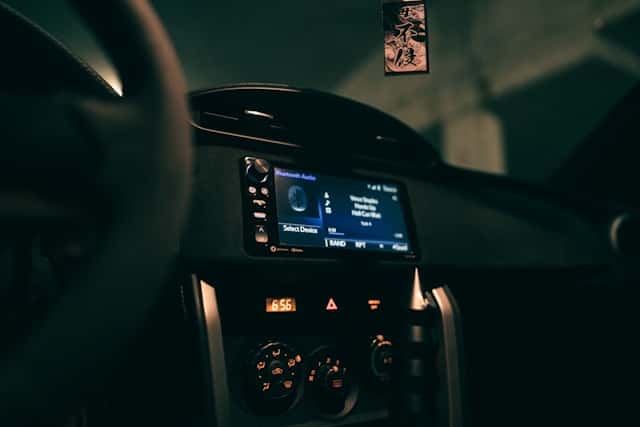
Wireless Apple CarPlay and Android Auto allow you to access your favorite phone apps on your Cadillac’s screen, without the hassle of cords. This technology simplifies navigating quick detours on the I-85, making hands-free calls during game day traffic, and effortlessly switching between playlists during trips to Lake Martin. The 2025 Cadillac models with wireless connectivity include the CT4, CT5, Escalade, Escalade ESV, LYRIQ, XT4, XT5, and XT6. One-third of buyers now consider CarPlay and Android Auto essential.
Availability varies according to the model year and specific software, and some Cadillacs only support wired connections. Check your vehicle identification number and software version or contact our team at Allen Turner Cadillac of Auburn to verify what your model supports.
Initial Configuration
Regardless of whether you consider a new or certified preowned Cadillac model, you should first check your phone compatibility. Make sure you have at least an iPhone 5, while a wireless connection requires an iPhone 6 or higher. If you want to use CarPlay Ultra, you’ll need an iPhone 12 or newer with iOS 18.5 or later.
You can configure wireless Apple CarPlay using the following process:
- Tap Phone/Connectivity on your Cadillac screen, and then Add Phone.
- On your iPhone, go to Settings > Bluetooth, and select your Cadillac from the list.
- Match the pairing codes that appear on both screens.
- Allow CarPlay access to your contacts and messages, and then accept on your car’s display. Your phone will connect automatically next time.
Android Auto requires a few extra steps:
- Update the Android Auto and Google Maps apps.
- Turn on Bluetooth and Wi-Fi, then tap Add Phone on your Cadillac’s screen.
- Give the app permission to access your contacts, messages, and location, then approve Android Auto on your display.
If you don’t have wireless, use a quality USB cable instead.
Maps, Music, and Hands-Free Messaging
Voice commands are a game-changer for navigating Auburn’s busy streets. Whether you prefer Apple Maps, Google Maps, or Waze, all of them provide live traffic updates. With Google Maps in CarPlay, you can either type in addresses or ask Google Assistant to locate your destination. For convenience, you can save your home, work, and preferred Auburn locations as favorites for one-touch directions.
Music is also simplified, with access to various platforms. Create a playlist for your Auburn-Opelika commute, or ask Siri to play a favorite song while you drive. For texting, the system can read your messages aloud and let you respond using your voice. You can streamline your notifications so that only the important ones come through. Pin your most-used apps to your home screen to save you from hunting through menus at red lights.
Troubleshooting Connectivity Issues
Connection problems can often be resolved with a few simple steps. Toggle the Bluetooth and Wi-Fi off and on again. Restart your phone, or power-cycle your car’s screen. If your Cadillac forgot your phone, delete it from both devices and pair them again.
If you have audio issues, close all background apps, check for updates, or use a cable temporarily. At times, updates introduce some bugs; in these cases, you may need to wait for future fixes. Check that Siri is enabled and set to Allow When Locked. Also consider screen time restrictions that may block CarPlay under Settings > Screen Time > Content and Privacy > Allowed Apps.
If you have two phones trying to connect, choose one as your primary device or disable Bluetooth on the other. For voice assistant issues, verify that permissions are granted and that your car’s microphone is functioning properly. You can reset connections by tapping Forget This Car in the CarPlay settings. Since faulty cables cause many CarPlay issues, it’s a good idea to keep quality backups handy. For persistent disconnects or missing features, contact the service department at Allen Turner Cadillac of Auburn for assistance.
Privacy, Profiles, and Safety
The driver profiles allow you to save your seat position, mirrors, shortcuts, and addresses, which are activated when you use your key. This simplifies matters if you share your Cadillac with your family. Always make sure that you remove personal information before lending your car or trading it in by checking Profiles/Devices in your settings.
Android Auto requires access to all your contacts, calls, locations, and texts, which may put your information at risk of harmful apps or phishing attacks. Double-check your permissions and only approve apps you trust. Adjust your notification settings to reduce screen clutter and consider hiding message previews if you frequently have passengers.
You should prioritize safety, especially in Alabama. State law prohibits you from holding your phone while driving, but hands-free systems, such as Bluetooth, are acceptable. Using GPS is allowed as long as your phone is mounted and you can make 911 calls without restrictions.
Local Professional Advice and Next Steps
Simplify your Auburn driving experience by saving the I-85 construction routes and alternative roads for game day on College Street. You can mark your parking spot and use voice directions to find your way back to your car. For trips to Lake Martin, make sure to download offline maps for areas with weak coverage.
Apple’s iPhone 15 switch to USB-C affected millions of CarPlay users. Some 2025 Cadillac models have USB-C capability, but many rely on USB-A ports. It’s wise to buy cables that support USB 2.0 data speeds of at least 480 Mbps for CarPlay compatibility. Keep both Lightning and USB-C cables handy if your family’s phones differ.
The Cadillac User Experience system offers high-resolution touch screens with tactile feedback. You can update the software during service visits and schedule a connectivity walkthrough. We’ll help you pair your phones, set favorites, and customize notifications. Models such as the LYRIQ offer advanced technology for future upgrades.
Get Connected at Allen Turner Cadillac of Auburn
Wireless Apple CarPlay and Android Auto significantly enhance your Auburn driving experience by allowing you to access your favorite apps and other information while keeping your eyes on the road. If you’re in Auburn, Alabama, visit us to speak to our team. We’ll help you explore your financing options, configure your connectivity settings, and answer any questions you may have. If you’re ready to personalize your Cadillac connectivity, contact us to book a feature demo, confirm your model’s wireless capability, or schedule a service.
0 comment(s) so far on Cadillac Connectivity in Alabama: How To Use Wireless Apple CarPlay and Android Auto